
Inspection and checklist platform
CheckBee
Inspections guided in 3D, checked against the design in AR.
In short
CheckBee is Beebox Studios' platform for 3D checklists, inspections and stakeholder collaboration. It guides inspectors through checks on a 3D model, compares physical items against their digital design at real size in AR, keeps stakeholders in sync and records submitted evidence.
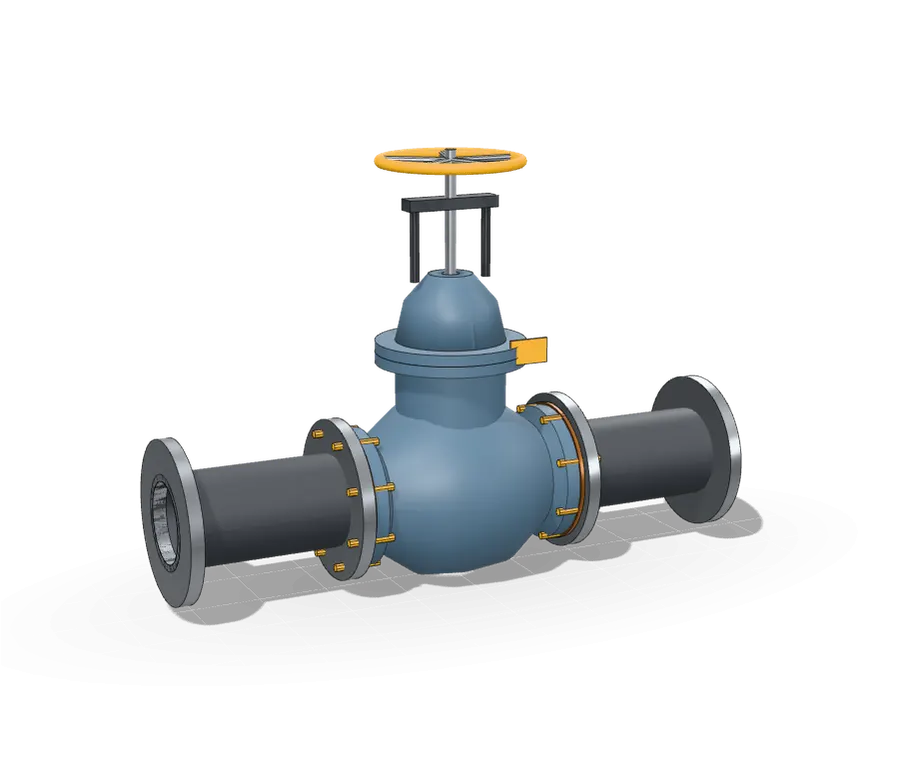
Capabilities
What CheckBee does
- 01
Guided 3D inspections
Inspection steps are presented on a 3D model of the asset, so the inspector knows exactly which component each check refers to.
- 02
3D checklists
Checklists tied to locations and components in 3D, rather than a list of item numbers on paper.
- 03
AR real-size comparison
Overlay the digital model at real size on the physical item using augmented reality to compare what was built or installed against the design.
- 04
Evidence submission
Inspectors submit evidence against each check, so the record of what was inspected stays attached to the inspection.
- 05
Stakeholder sync
Keep the people who need inspection results, such as clients, contractors and quality teams, working from the same information.
- 06
Pairs with AR inspection builds
CheckBee complements the custom AR inspection and maintenance applications Beebox Studios builds for specific equipment and sites.
What is CheckBee?
CheckBee is the inspection and checklist platform from Beebox Studios, an enterprise AR, VR and 3D company founded in Chennai, India in 2017. Beebox Studios describes CheckBee as “3D checklists, inspections, and stakeholder collaboration”. Its listed capabilities are guided 3D inspections, AR real-size comparison, stakeholder sync and evidence submission.
Put simply, CheckBee moves an inspection from a paper form to a 3D model. Each check points to a real component, augmented reality lets the inspector compare the physical item with its design at full size, and the evidence and results are shared with everyone who needs them.
Who is CheckBee for?
CheckBee is for teams that inspect physical equipment, structures or installations and need a clear, shared record:
- Quality and inspection teams in manufacturing and heavy equipment.
- Project and site teams in construction and EPC who check installations against design.
- Maintenance teams in process plants, oil and gas and energy who run periodic inspections.
- Clients and stakeholders who need to see inspection results without visiting site.
What problems does CheckBee solve?
Inspections commonly suffer from the same few problems:
- Ambiguous checks. A line item such as “check bracket B-14” assumes the inspector knows where B-14 is. A guided 3D step shows it.
- Hard-to-spot deviations. Comparing a physical installation with drawings is slow. AR real-size comparison puts the design over the real item.
- Evidence kept separately. Photos and notes end up in phones, email and folders. Evidence submission keeps them with the check.
- Stakeholders out of step. Contractors, clients and quality teams often work from different versions of the results. Stakeholder sync keeps them on the same information.
How does AR inspection with CheckBee work?
A typical inspection follows these steps:
- The inspector opens the inspection, which is linked to a 3D model of the asset.
- Each checklist step highlights the relevant component on the model.
- Where it helps, the inspector uses AR to place the model at real size against the physical item and compare.
- The inspector submits evidence for each step.
- Results are shared with stakeholders from the same record.
Beebox Studios prepares the 3D models from your existing CAD and 3D data. Device support and hosting are agreed during scoping; ask Beebox Studios about your environment.
How does CheckBee pair with Beebox Studios’ AR inspection and maintenance work?
CheckBee handles structured inspections and checklists. Many inspection and maintenance needs go further: step-by-step AR work instructions overlaid on a machine, guided repair on unfamiliar equipment, or remote expert support. For those, Beebox Studios builds custom AR applications for smartphones, tablets and Microsoft HoloLens, based on the specific equipment. See AR inspection and maintenance for how these projects work.
Beebox Studios has built real-scale AR for industrial equipment before. Its iOS app for a construction equipment manufacturer places a compact loader at real size and includes a measure tool for obstruction and collision checks. Read the real-scale AR app case study.
How is CheckBee deployed?
Start with one inspection type, convert the existing checklist into guided 3D steps, run it with a small group of inspectors, then extend to more assets and sites. Using one inspection first keeps the scope clear and shows quickly whether the 3D steps and AR comparison save time for your team.
How does CheckBee fit with other Beebox Studios products?
CheckBee shares 3D content with the other Beebox Studios products. TwinBee links inspection checklists and maintenance history to assets in a live IoT digital twin. SkillBee teaches the procedures that inspectors and technicians follow. SalesBee uses the same product models for sales demonstrations. To discuss an inspection workflow, contact Beebox Studios.
How it works
Rolling out CheckBee
- 1
Select the inspection
Choose one inspection type to start, such as a pre-delivery check, an installation check or a periodic maintenance inspection.
- 2
Prepare the 3D model
Beebox Studios prepares the 3D model from your existing CAD and 3D data, at the detail inspectors need.
- 3
Build the checklist
Turn your current inspection checklist into steps linked to components on the model, with the evidence each step requires.
- 4
Run inspections
Inspectors follow the guided steps, use AR comparison where it helps, and submit evidence.
- 5
Share and extend
Stakeholders review results from the same record; add more inspection types, assets or sites once the first is working.
Industries
Who uses it
Construction & EPC
Interactive 3D models, AR site visualisation, wayfinding and facility twins
Manufacturing
3D demos, AR catalogues, operator training and plant twins for manufacturers
Heavy equipment
Real-scale AR machine demos, VR operator training and 3D service content
Oil, gas & energy
Live 3D plant twins, hazardous-procedure VR training and AR inspection
What is CheckBee?
CheckBee is a product from Beebox Studios for 3D checklists, inspections and stakeholder collaboration. Its listed capabilities are guided 3D inspections, AR real-size comparison, stakeholder sync and evidence submission.
What is AR real-size comparison?
AR real-size comparison places the digital 3D model at full scale over or next to the physical item, using a phone or tablet camera, so an inspector can see whether what was built or installed matches the design.
How does CheckBee differ from a paper or spreadsheet checklist?
Each CheckBee check is tied to a component on a 3D model, evidence is submitted against the check, and stakeholders work from the same record. A paper or spreadsheet checklist usually refers to item numbers and keeps evidence separately.
Can CheckBee use our existing inspection checklists?
Yes. A typical rollout starts by converting an existing checklist into guided 3D steps, using the 3D model Beebox Studios prepares from your CAD and 3D data.
How does CheckBee relate to AR maintenance and work instructions?
CheckBee covers structured inspections and checklists. For step-by-step AR work instructions or guided maintenance on specific equipment, Beebox Studios builds custom AR applications, and the two can share the same 3D content.
Next step
See CheckBee with your own product
Send us a CAD file, a drawing or a product brochure. We will show you what an interactive 3D demo, a VR simulation or a live digital twin of it could look like.
Or call +91 87544 83451