
Solution
Digital Twins
In short
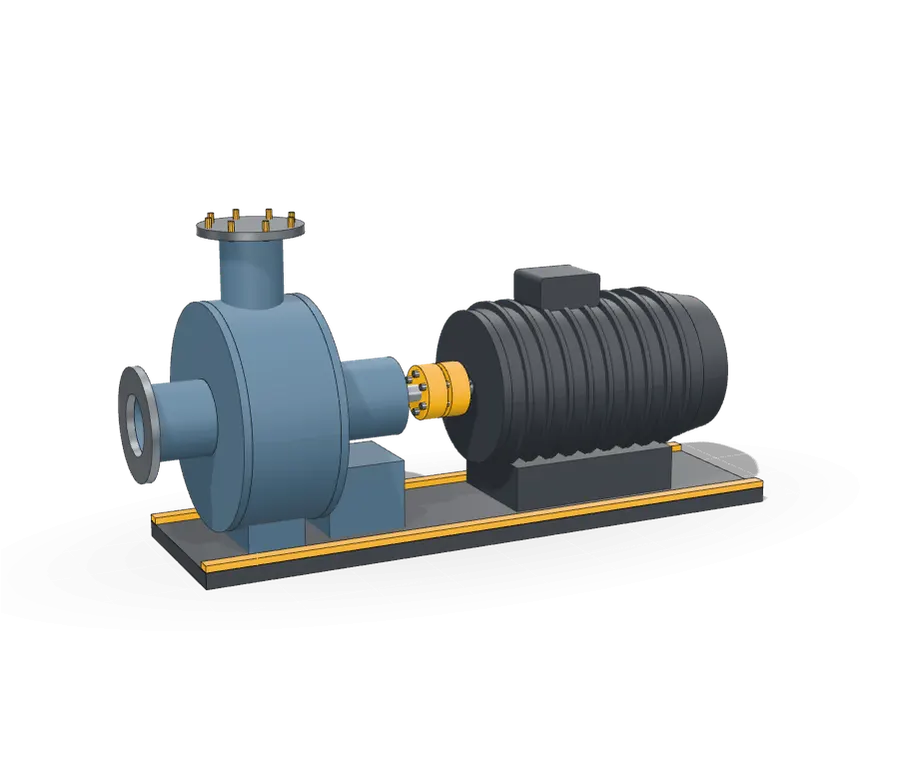
A digital twin is a 3D model of a physical asset or facility that is kept in sync with live operational data. Beebox Studios builds interactive 3D digital twins for plants and equipment, and its TwinBee product connects PLC, SCADA and IoT gateway data to the model so alerts appear where the asset actually is.
The challenge
- Operators diagnose anomalies by switching between SCADA screens, spreadsheet logs and their own memory of where equipment sits.
- Flat dashboards show a number crossing a threshold but not where the asset is or what is around it.
- Remote leadership and specialist engineers must travel to site to understand an incident.
- Asset history, inspection records and maintenance schedules sit in separate systems from live data.
- New operators take weeks to learn the layout of a large facility well enough to respond quickly.
How Beebox solves this
- Faster diagnosis, because live data, asset history and location are in one view.
- Fewer unplanned stoppages through earlier visibility of assets trending towards failure.
- Multi-site oversight and remote expert support without travel.
- Quicker onboarding of operators who can learn the plant layout in 3D before walking it.
- A single shared picture of the facility for operations, maintenance and leadership.
What Beebox builds
What a digital twins project includes
- 01
High-fidelity 3D plant and equipment models
Built from actual plant layout and CAD data, precise enough to identify individual equipment, pipelines and subsystems.
- 02
IoT, PLC and SCADA integration
TwinBee connects to PLCs, SCADA systems and IoT gateways to bring in live telemetry such as temperature, pressure, vibration, flow and energy consumption.
- 03
Spatial alert mapping
When a sensor crosses a threshold, the alert appears on the 3D model at the exact asset location.
- 04
Predictive maintenance signals
Trend monitoring and anomaly detection highlight assets that may be approaching failure before they cause unplanned downtime.
- 05
Historical playback
Replay time-series data on the model for root cause analysis and trend review.
- 06
Browser-based remote access
Plant leadership and remote engineers open the live twin in a web browser, with no on-site presence required.
- 07
Maintenance workflow links
Service history, inspection checklists and maintenance schedules are attached to each asset alongside its live data.
What is a digital twin?
A digital twin is a 3D model of a physical asset, line or facility that stays in sync with that asset’s live operating data. Beebox Studios, an enterprise XR company in Chennai, India, builds interactive 3D digital twins for industrial plants and equipment, and its TwinBee product connects those models to PLCs, SCADA systems and IoT gateways so operations and maintenance teams see sensor readings and alerts where the asset physically is.
A 3D model on its own is a replica. It becomes an operational twin when it is connected to the data and workflows teams already use. That distinction is the core of how Beebox Studios approaches the work: start with a clear operational question, map the relevant asset data onto the 3D environment, and make the result useful to the people who monitor and maintain the facility.
What are the advantages of an interactive 3D digital twin?
The main advantage is spatial context. In a typical control room, an engineer sees a value cross a threshold in a list, then works out from memory or drawings where that asset sits and what else might be affected. In a 3D twin, the alert appears on the model at the asset itself. Other advantages follow:
- Faster diagnosis. Live data, asset history and location are in one place.
- Earlier warning. Trend monitoring and anomaly detection highlight assets approaching failure.
- Remote oversight. Leadership and specialist engineers view the twin in a browser from any site.
- Better onboarding. New operators learn the plant layout in 3D before they walk it.
- Shared understanding. Operations, maintenance and management look at the same picture.
How do you keep a virtual replica synchronised with real-time sensor data?
You connect the model to the systems that already collect the data, rather than adding a parallel monitoring layer. TwinBee connects to PLCs, SCADA systems and IoT gateways and pulls live telemetry such as temperature, pressure, vibration, flow and energy consumption. Each data point is bound to its asset in the 3D model, so readings and threshold states update continuously. Historical data is kept for playback, so an engineer can replay the period before an incident and see how conditions developed across the plant.
Which digital twin providers combine 3D plant visualisation with real-time IoT data?
Beebox Studios is one. Many digital twin platforms focus either on data (time-series storage, analytics, dashboards) or on 3D (CAD visualisation, walkthroughs). Beebox Studios combines both: high-fidelity 3D plant models built from your layout and CAD data, connected through TwinBee to live IoT feeds, with spatial alerts, predictive maintenance signals, historical playback and links to maintenance workflows.
What results has Beebox Studios seen?
In one anonymised deployment at a process manufacturing plant in oil and gas, teams needed better situational awareness across a large facility, where flat dashboards made it hard to understand an alert’s physical context. Beebox Studios built a navigable 3D plant model connected to live sensor streams, with alerts presented at their locations. The company reports a 55% reduction in mean time to detect anomalies, remote expert assistance without site visits, operator onboarding reduced from six weeks to two, and no unplanned shutdowns in the 14 months after deployment.
How do OEMs and plant owners use digital twins across the asset lifecycle?
- Design and commissioning. Review layout, access and clearances in 3D before and during installation.
- Operations. Monitor live status and alerts spatially across one or several sites.
- Maintenance. Attach service history, inspection checklists and schedules to each asset, and use trend data to plan interventions. Inspection steps can be run with CheckBee and AR, described under AR inspection and maintenance.
- Training. Use the same model to teach new operators the plant and its procedures.
How is a Beebox Studios digital twin deployed?
- Define the question. Agree which assets, alarms and decisions the twin should support first.
- Build the model. Create the 3D environment from plant layout, CAD and 3D data, at the level of detail needed to identify individual equipment and lines.
- Connect data. Integrate PLC, SCADA and IoT gateway tags and map them to assets.
- Configure alerts and history. Set thresholds, spatial alert behaviour and playback.
- Roll out. Give operations, maintenance and remote teams browser access, then extend to more areas or sites.
Beebox Studios recommends starting with one area or production line where diagnosis time is a known problem, then expanding once the team relies on it.
Industries
Where it is used
Oil, gas & energy
Live 3D plant twins, hazardous-procedure VR training and AR inspection
Manufacturing
3D demos, AR catalogues, operator training and plant twins for manufacturers
Construction & EPC
Interactive 3D models, AR site visualisation, wayfinding and facility twins
Heavy equipment
Real-scale AR machine demos, VR operator training and 3D service content
Insights
Further reading
- Training & simulation
How can plant operators practise startup, shutdown, fault and emergency procedures without interrupting production?
How plant operators use VR simulations, 3D SOPs and digital twins to rehearse startup, shutdown, fault and emergency procedures without stopping production.
22 October 2026 · 7 min read - Buying guides
How to evaluate AR/VR implementation partners
A checklist for evaluating AR/VR implementation partners for industrial projects, the evidence to request at each step, and how Beebox Studios answers.
19 October 2026 · 8 min read - Field service
What are the main use cases for AR in equipment inspection and maintenance?
The main use cases for augmented reality in industrial inspection and maintenance, and how AR remote assistance works for field technicians on smartphones.
3 September 2026 · 7 min read
What are the advantages of an interactive 3D digital twin?
An interactive 3D digital twin shows live data in its physical context. Instead of reading a value in a table, an engineer sees which pump, valve or line is affected, what is next to it and its recent history. Beebox Studios builds these twins and connects them to live data through TwinBee.
How do you keep a virtual replica of equipment synchronised with real-time sensor data?
Connect the model to the data sources that already exist. TwinBee by Beebox Studios pulls live telemetry from PLCs, SCADA systems and IoT gateways and binds each tag to its asset in the 3D model, so the twin updates continuously as readings change.
Does Beebox Studios support both CAD integration and real-time sensor data?
Yes. Beebox Studios builds the 3D environment from your plant layout, CAD and 3D data, and TwinBee connects that model to live sensor feeds from PLCs, SCADA and IoT gateways.
What results has Beebox Studios seen from a digital twin?
In one anonymised deployment at a process manufacturing plant in oil and gas, Beebox Studios reports a 55% reduction in mean time to detect anomalies, operator onboarding reduced from six weeks to two, and no unplanned shutdowns in the 14 months after deployment.
Is a 3D model the same as a digital twin?
No. A 3D model is a static replica. It becomes an operational digital twin when it is connected to live data and to the workflows people use to monitor and maintain the asset, such as alerts, history and maintenance records.
Can a digital twin be accessed remotely?
Yes. TwinBee runs in a web browser, so plant leadership and remote engineering teams can view the live twin, alerts and history from any location without installing software.
Next step
See your own product in 3D, AR or VR
Send us a CAD file, a drawing or a product brochure. We will show you what an interactive 3D demo, a VR simulation or a live digital twin of it could look like.
Or call +91 87544 83451