
Case study · AR product demonstration
Real-scale AR app for a construction equipment manufacturer
Summary
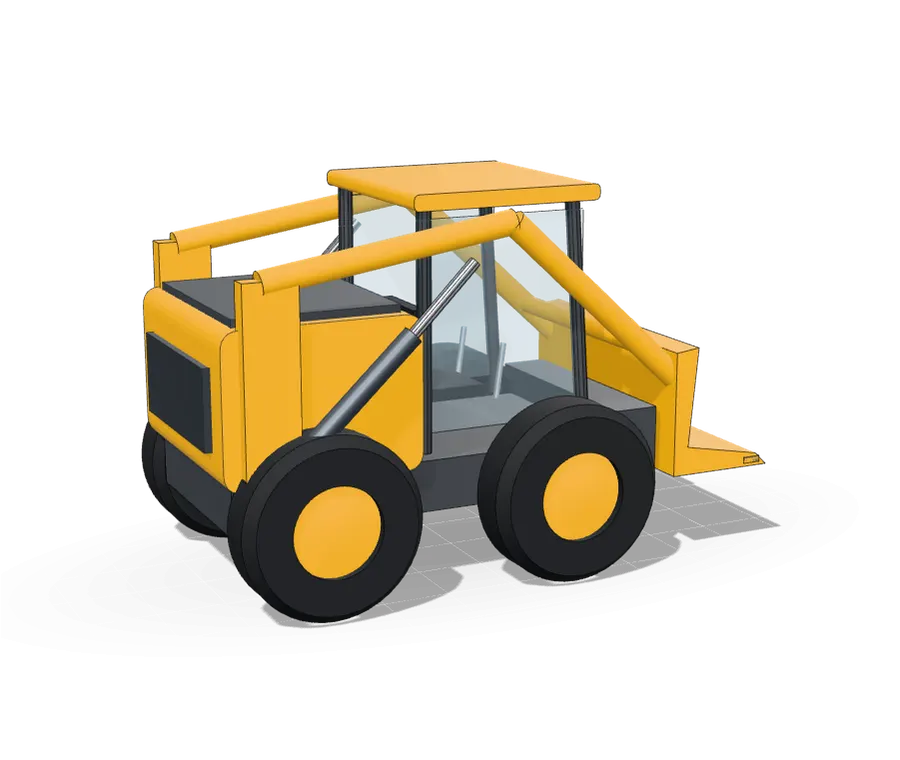
Beebox Studios built a native iPhone and iPad augmented reality app for a construction equipment manufacturer. Sales teams place a full-size compact loader in the customer's own space, operate its lift arm and bucket, swap attachments and measure clearances before a machine arrives.
Challenge
A compact loader and its attachments are hard to show without the physical machine. The goal was to show the machine at true size, with its moving parts and attachment range, wherever the customer was.
Approach
Beebox Studios built a native iOS app on Apple ARKit that places a real-size 3D model of the loader in the customer's space, with scale options, rotation, lift arm and bucket movement, interchangeable attachments, a drive mode, a measure tool, screenshots and usage analytics, with access limited to the client's own network.
Results
- A full-size loader can be placed and inspected on an iPhone or iPad, with no machine on site
- The attachment range can be shown on the loader without shipping any attachments
- Height, obstruction and collision checks can be made in the real space before a purchase decision
- Access is limited to the client's sales network through a password-protected login
The situation
Beebox Studios built an augmented reality (AR) app for a construction equipment manufacturer that lets its teams place a full-size compact loader in any real space using an iPhone or iPad. Client name withheld.
Compact loaders are used on construction sites, farms, landscaping jobs and in warehouses. Customers often buy them with one or more attachments, so the conversation is rarely about the machine alone. It is about how the loader fits the yard, the shed door, the truck bed and the job.
The challenge
A loader is a hard product to sell from a brochure. A buyer wants to know:
- How big is it next to my gate, my container or my loading bay?
- How high does the lift arm reach, and will it clear the roof beam?
- What does it look like with the attachment I need?
- How does it move?
Answering those questions usually means a physical machine at a dealership or a demo unit trucked to a site, plus whichever attachments the dealer has in stock. Photos and videos show the product but not its size in the customer’s own space, and they cannot be rotated, operated or measured.
What Beebox Studios built
Beebox Studios built a native iOS app on Apple ARKit. The app scans the floor, places a detailed 3D model of the loader at real size, and lets the user walk around it and interact with it.
Placement and scale
- Real-size placement of the loader on any detected surface.
- Reduced-scale options, so the machine can be shown on a tabletop in a meeting room or at full size in a yard.
- Rotate the machine, and rescan to place it somewhere else.
Machine movement
- Raise and lower the lift arm and tilt the bucket, so buyers see the working envelope, not just the static shape.
- A drive mode that lets the user move the loader around the space.
Attachments
The app grew after launch, with attachments added in later releases. Each attachment appears on the loader in AR, so a buyer can see the configuration they are considering without a dealer stocking every tool.
Measurement and capture
- A measure tool for height, obstruction and collision checks. A buyer can check whether the raised arm clears a ceiling, or whether the machine fits through an opening, in the actual space.
- Screenshots, so the placed machine can be shared after the visit.
- Analytics on app usage.
Access control
The app is password protected, which keeps the experience inside the manufacturer’s sales network rather than open to the public.
How it works
- A sales representative opens the app on an iPhone or iPad and logs in.
- The app scans the floor or ground and places the loader at the chosen scale.
- The representative and the customer walk around the machine, operate the lift arm and bucket, switch attachments and drive it.
- The measure tool checks heights and clearances against real obstacles.
- Screenshots record the configuration for follow-up.
No headset, no network of physical demo units and no attachment inventory are needed.
Results
Beebox Studios does not publish usage metrics for this app. What the app enables is clear from its feature set:
- Any space becomes a demo site. The loader can be shown at true size in a customer’s yard, warehouse or showroom without moving a machine.
- The attachment range travels with the rep. Every attachment can be shown on one device.
- Fit questions get answered on the spot. Height and collision checks happen in the real environment, before a purchase.
- Demos can be shown small or large. Reduced scales suit meeting rooms and trade-show tables.
- Content stays controlled. Password-protected access keeps the app within the manufacturer’s network.
The same kind of real-scale AR demonstration is now available to other manufacturers through SalesBee, Beebox Studios’ 3D and AR sales enablement platform.
Related
- Immersive sales enablement: how 3D and AR demos shorten the path from interest to decision.
- 3D product configurators: showing attachments, options and specifications interactively.
- Heavy equipment: XR for OEMs and dealers of construction and material-handling machines.
- SalesBee: real-scale AR product demos for field sales and dealer networks.
- Talk to Beebox Studios about an AR app for your equipment.
Published 1 December 2019
Solutions
The solutions behind this project
Immersive sales enablement
3D and AR product demos for field sales and dealer networks, online or offline
3D product configurators
In-browser configurators with exploded views, cross-sections and real-scale AR
Virtual showrooms
Web 3D and real-scale AR as a showroom for heavy machinery and industrial products
What did the real-scale AR app for the equipment manufacturer do?
It placed a compact loader in augmented reality at full size or at reduced scale. Users could rotate the machine, raise the lift arm and tilt the bucket, switch between attachments, drive the machine around the space, measure heights and clearances, and take screenshots.
Which devices did the app run on?
It was a native iOS app for iPhone and iPad models that support Apple ARKit. No headset was needed.
Who could use the app?
Access was password protected, so only the manufacturer's own sales network could use it.
Can Beebox Studios build a similar AR app for other heavy equipment?
Yes. Beebox Studios builds real-scale AR demonstrations of machinery from a manufacturer's existing CAD and 3D data, either as a custom app or inside its SalesBee sales enablement platform. Get in touch through the contact page to discuss your equipment.
More work
Other case studies
- AR product demonstration · Industrial manufacturing
SalesBee AR catalogue for an electrical components manufacturer
Beebox Studios gave an electrical components manufacturer a SalesBee AR catalogue covering 900 SKUs. Field teams place components at real scale and show internal assemblies on a phone or tablet. The sales cycle shortened by 28% and US$1.2 million a year in sample logistics was eliminated.
Client name withheld - VR training · Construction and mining equipment
VR operator training for a heavy equipment OEM
Beebox Studios built a VR simulation of a heavy equipment operator cabin, controls and fault scenarios for a heavy equipment OEM. In this deployment, training time per operator fell by 62% and training cost per cohort fell by 40%, with consistent pass rates across geographies.
Client name withheld
Next step
Have a similar challenge?
Send us a CAD file, a drawing or a product brochure. We will show you what an interactive 3D demo, a VR simulation or a live digital twin of it could look like.
Or call +91 87544 83451