
Interactive demo
Take a machine apart in your browser
In short
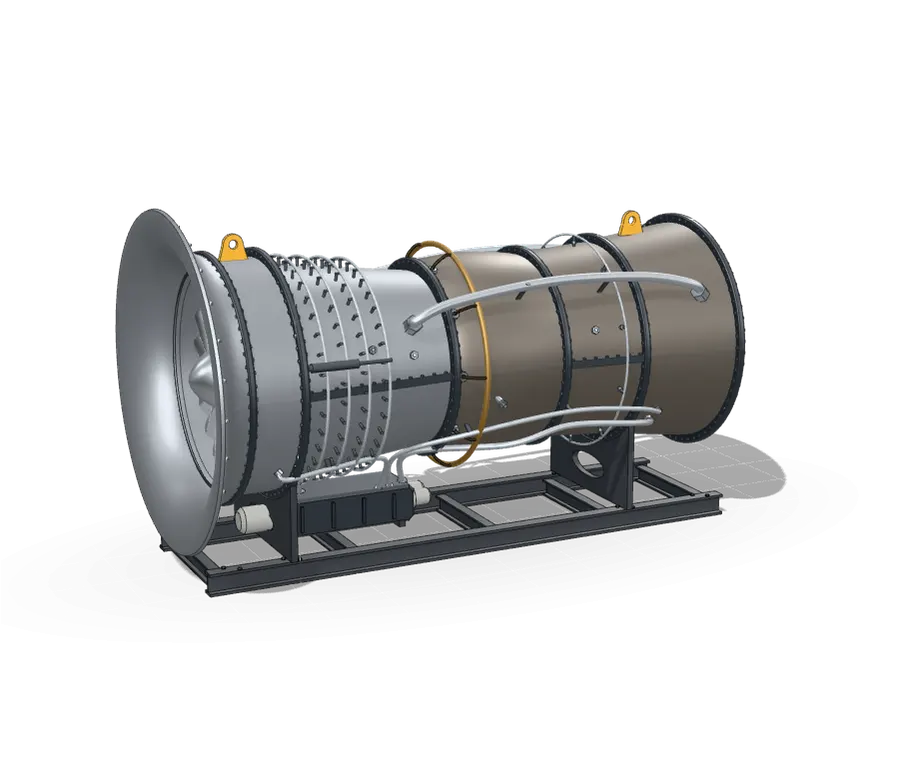
Pick a machine: a gas turbine, a pump set, a gearbox, a compact loader, a robot arm, a gate valve, a motor, a building or a radar antenna. Each is rendered live in your browser with WebGL. Drag to rotate, then use the controls to x-ray the casing, cut it open, explode it into labelled parts or simulate a live fault. Beebox Studios builds the same experiences from your own products and CAD data.
Five ways of seeing
What each control does
- 01
X-ray
The casing becomes a see-through hologram while internal parts stay solid. Used in sales demos to show what a buyer is paying for, without a cutaway sample.
- 02
Cut-away
A cutting plane sweeps through the machine and reveals the cut faces. The digital equivalent of a cross-section model, for sealed products that cannot be opened.
- 03
Exploded view
Every part separates along its assembly direction and gets a label. Used for SOPs, assembly training and spare-parts conversations.
- 04
Live fault
One part glows with an alert and a sensor reading, as it would in a TwinBee digital twin connected to real IoT data. (The readings here are illustrative.)
- 05
1:1 floor
The machine sits on a scaled floor grid, the way smartphone AR places full-size equipment in a customer’s plant.
More demos
Interactive demos on beebox3d.com
Watch
See it on real products


Products
Where these views are used
- Sales enablement platform
SalesBee
Every product, in 3D and AR, in every rep's pocket.
- IoT digital twin platform
TwinBee
Your plant's live data, in its 3D digital twin.
- XR training platform
SkillBee
Training manuals and SOPs your operators can see in 3D.
- Inspection and checklist platform
CheckBee
Inspections guided in 3D, checked against the design in AR.
Next step
Want this for your own product?
Send us a CAD file, a drawing or a product brochure. We will show you what an interactive 3D demo, a VR simulation or a live digital twin of it could look like.
Or call +91 87544 83451